RadialDeckFor Windows PCs

A radial menu for Windows.

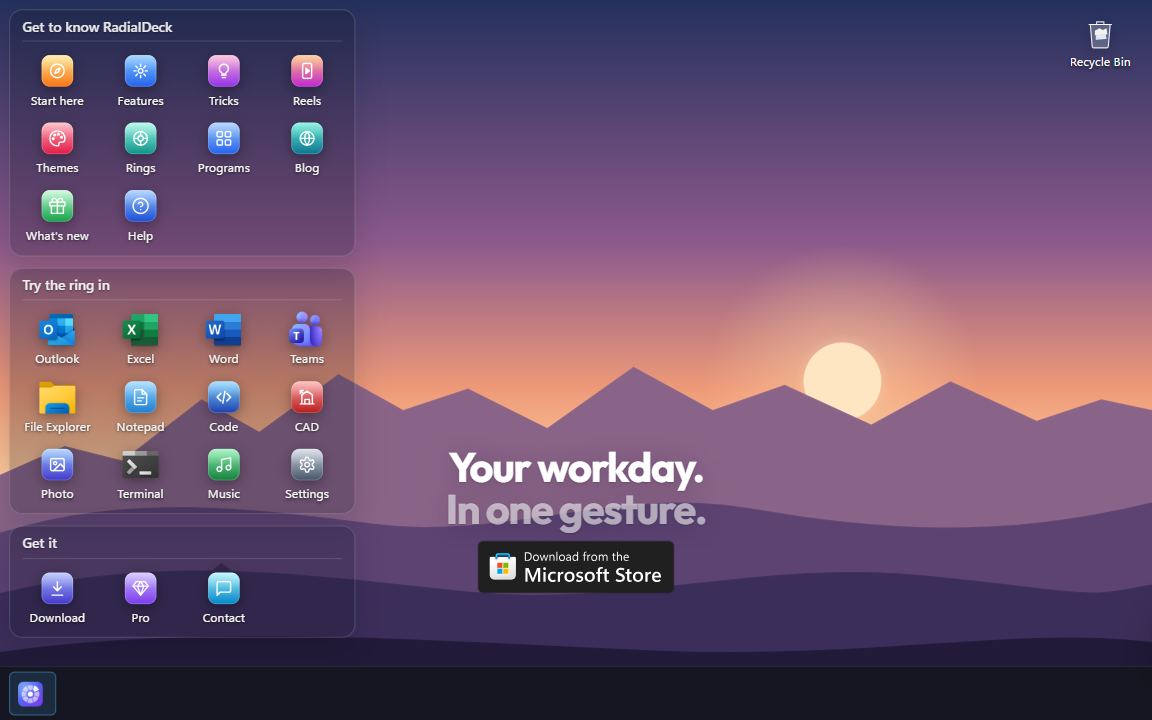
Hold the mouse, flick toward an action, let go. Below is the real thing on a pretend PC. Tap it to try.

The RadialDeck desktop: a Windows desktop with the ring in the middle

Full screen. Tap as you would click; hold anywhere for the ring, slide to an action, lift.

Get it from Microsoft
New in 0.15 · ProNested rings come out as bubblesPoint at a slice and its own ring floats out around it. Two layers deep, still one move.Watch all 17 clips

Tricks in 20 seconds

Your Shift key has a hidden menu
Every app gets its own ring
Copy text you can't select
Duplicates in Excel? One flick

Free or Pro

Free, forever. Two rings, every action except macros and the clipboard history, all 38 themes.

Pro, 24 € a year. Unlimited rings, a ring for each program, nested rings and the bubbles, the drop ring. Try it 14 days first.

Get it from Microsoft

PrivacyTermsRefundsContact

New: point at Apps on the ring. Or hold the mouse anywhere, flick, let go.New: press and hold anywhere, slide up to Apps.

Your workday.In one gesture.

RadialDeck is a radial menu for Windows. This ring is real: hold the mouse anywhere, flick, let go.

Get it from Microsoft

Free for two rings, forever. No account, no telemetry.

See what it doesTricks

What's new

Every release and what changed. RadialDeck updates itself; the Microsoft Store version updates through the Store.

RadialDeck 0.15.0

2026-10-22

Nested rings come out as bubbles
A bubble opens another layer
The light follows your hand
Every theme has its own light
The ring opens with a spring
Your Shift key has a hidden menu

Added

  • Nested rings as bubbles (Pro), in Appearance: point at a slice that opens a ring and its slices float out around the ring as bubbles; let go on one to run it. A bubble that holds a ring of its own fans it out as a second layer.
  • The ring opens with a spring, right where the pointer is (Pro; the default for new settings). The lit slice is a soft light that glides from slice to slice, in each theme's own highlight colours.
  • See-through glass, in Appearance › Window look: a real Windows 11 Acrylic look for RadialDeck's windows (Windows 11 22H2 or later).
  • What's new in the Settings sidebar: every release, with short clips that play like reels and a button to try each thing. The window after an update shows the same clips. The clips come with the app; nothing is downloaded.
  • AI assistants in the gallery: ask Claude, ChatGPT or Grok about the selected text, search it in Perplexity, summarise the clipboard, open Copilot, Gemini, DeepSeek or Le Chat; rings for the Claude and ChatGPT apps.
  • Programs that are not on this PC show their own logo: 37 more programs have one (sources in THIRD-PARTY-NOTICES.md).
  • Icon packs show sample icons in the ring style, in the row and in the list.

Changed

  • "For your apps" finds far more of your programs: Microsoft Store apps, installs for one user, new versions in a new folder. A Scan again button looks again.
  • Drop ring: the file sits small in the hub, picks a slice by direction and moves on springs. Windows' big drag picture no longer covers the ring.
  • "What's new" in the tray menu opens Settings › What's new.

Fixed

  • After sleep the ring could open without its animation until RadialDeck was restarted; Windows' animation setting is now read each time.
  • Smoother on a laptop at 150% scaling: no crash when moving between monitors, no blur.

RadialDeck 0.14.3

2026-10-20

Changed

  • The gallery has the look of Settings: categories with icons on the left under the search, the category's name as the page title, and recipes as tiles with a tick on the right.
  • "For your apps" shows the programs on this PC with their own icons and names; pick one to see its recipes.
  • "Popular" is now "Essentials", which says what it is: our starter picks. "Show all" is now "Apps I don't have".
  • A search in the gallery looks through every recipe, whatever category is open, and says so when nothing matches.

Fixed

  • Typed text in the gallery's search box sat far from the magnifier and below it.

RadialDeck 0.14.2

2026-10-20

Added

  • "What's new" shows the new way the drop ring opens and the Ctrl ring, with a moving demo of each, to everyone who updates.

Changed

  • The drop ring opens when Shift is tapped mid-drag (pressed and let go), not as soon as it goes down. Holding Shift until the drop is how Explorer moves a file, and the ring opening under the pointer used to catch that drop. While the key is down, a keycap by the pointer shows that letting go opens the ring.
  • Two rings, as in Tangerine: Shift for what the file can become, Ctrl for what to do with it (your own drop actions, ZIP, Copy to, Move to, Share, path, SHA-256). A file with nothing to become (a folder) gets the second on Shift too.
  • A GIF from a video is made of its first 30 seconds at most.
  • The dragged file stays in hand over the drop ring, captioned with what it becomes ("+ JPG"), as it is over Explorer. It used to vanish, and the pointer showed a "no entry" sign in the middle of the ring.

Fixed

  • A long video to WebM is no longer stopped after two hours: FFmpeg runs for as long as it keeps making progress, and one that stops is closed with a clear message.
  • A password-protected PowerPoint file fails at once with "password-protected" instead of waiting on a hidden password prompt.
  • "10 MB" / "25 MB" on a video whose length Windows cannot read (a browser's WebM, an MKV) asks FFmpeg, instead of calling a short clip too long.
  • "No location" on a damaged PNG no longer hangs.
  • Quitting while a conversion runs stops it and removes its half-written file.
  • Renaming the ring picked for "Your drop actions" keeps it picked.
  • radialdeck.com: a download or Store click is never lost to the counter failing; the stats need the owner's token.

RadialDeck 0.14.1

2026-10-19

Added

  • "What's new" after an update that brings something new: a page per new thing with a button straight to it, and for the drop ring a short moving demo in your own ring style plus a sample picture to try it on. A small update only shows a toast. Also in the tray menu.

RadialDeck 0.14.0

2026-10-19

Added

  • Drop ring (Pro): while dragging a file, press Shift and a ring of what it can become opens under the pointer; drop it on a slice. Images: smaller, JPG, PNG, one PDF. Video: smaller, MP4, MP3, GIF (with FFmpeg). Audio: MP3, M4A, WAV. PDF: pages as PNG or JPG, smaller and merge (with Ghostscript). Word, Excel and PowerPoint files to PDF when Office is installed. Dropping the file anywhere else still moves or copies it as before. The new file lands next to the original, which is never changed; a toast shows the sizes and opens it in Explorer.
  • The drop ring does much more than convert (Pro). Pictures: copy the text in them, a copy without location and EXIF (a JPG or PNG keeps every pixel), rotate, a 1080 px square, a Windows icon, copy to the clipboard. Video: a frame as JPG, without sound, and with FFmpeg under 10 or 25 MB (for e-mail or Discord), WebM and a better GIF. Excel to CSV and CSV to Excel. A ZIP is extracted beside itself. Any file or folder: ZIP, Copy to… and Move to… a folder you pick, Share (Windows' Share panel), copy the path, SHA-256. When there are more than eight, the last slice is "More": rest on it and the next page shows.
  • Your own drop actions (Pro): pick a ring in Settings › Options and its slices show in the drop ring too, run on the dropped files ({file}, {files}, $env:RD_FILE). Open in your editor, upload with your script, file into a folder.
  • "Convert the selected files" slice (Pro): the same ring for the files selected in Explorer, from your hotkey. In the gallery under Explorer.
  • Settings: a box to turn the drop ring off.
  • "What RadialDeck can do": every feature on one page, Free and Pro, each with how to use it and a button to where it lives. In the tray menu, in Settings › Options, at the end of the tutorial, and one click away from the "Pro is active" toast, so someone who just bought Pro sees what they bought.
  • Two more tips under the ring: the drop ring, and where the feature page is.
  • How the ring opens (Pro): Fade, Pop, Bloom, Spin or Ripple instead of Instant, with a Preview button in Appearance.
  • Apple style (preview), in Appearance: a translucent sidebar with coloured icons, a toolbar title, inset grouped settings, iOS switches and Apple blue in every RadialDeck window. It changes the open window at once; Save keeps it, Close puts the old look back.

Fixed

  • Word, Excel and PowerPoint files are converted with their macros switched off, a password-protected one fails at once instead of waiting for a hidden password prompt, and Office is closed again even when a conversion fails.
  • A failed or cancelled FFmpeg / Ghostscript run no longer leaves a half-written file behind, a "%" in a file name no longer confuses Ghostscript, and Ghostscript is found in its own folder (its installer does not add it to PATH).
  • Shift held from before a drag (selecting text, moving in Explorer, a straight line in a drawing app) no longer opens the drop ring; it opens when Shift is pressed during the drag.
  • Copy to / Move to a folder inside the folder itself is refused instead of copying it into itself.
  • An opening animation no longer starts with a flash of the ring at full size: Windows showed the ring's last picture before the new first frame, so it is now emptied before the ring hides.

Changed

  • Settings is one window with pages on the left: Rings, Gallery, Discover ("What RadialDeck can do", now inside the app), Appearance and Options, with your plan (Pro, trial or Free) at the foot. Every page has its title on top and Save / Close below. Appearance and Options are no longer pop-up panels: each setting is a row with its explanation under the name and its switch or list on the right, in groups.
  • Reopening Welcome with Pro active says so, instead of explaining the trial.
  • A fresher look in the Windows 11 style: on/off settings are switches, the ring size slider has a round thumb, "What RadialDeck can do" is grouped into Basics, Every day and Pro.
  • The licence window and the trial reminders list file conversion with the other Pro features.

RadialDeck 0.12.5

2026-10-16

Fixed

  • On the highlighted slice, an icon with nothing behind it took the highlight's colour and disappeared (Mono, Blueprint and other themes); it now turns black or white when it would not show, as the label already did.
  • A thin label font (Arrakis) on the highlighted slice now needs the contrast of normal text before it keeps the theme's colour.

RadialDeck 0.12.4

2026-10-16

Added

  • Six Windows recipes: restart the graphics driver, HDR on/off, every setting in one list (God Mode), the Startup and "Send to" folders, and close every frozen program at once.
  • Four packs: "Video files" (click a video in Explorer: MP4, under 10 MB for Discord, MP3, GIF, no sound, rotate, plus screen recording), "Drawing tablet" (undo, brush size, swap colours, save, colour from the screen, in Photoshop, Krita, GIMP, Clip Studio Paint and Paint.NET), "Accounting in Excel" and "AutoCAD drafting".
  • 133 recipes for 17 programs the gallery did not know: CapCut, Clip Studio Paint, Affinity (by Canva), InDesign, Fusion, Anki, FL Studio, Ableton Live 12, REAPER, SQL Server Management Studio, DBeaver, Zotero, PyCharm, Vivaldi, PotPlayer, Total Commander and the ChatGPT app. Every shortcut is checked against the maker's own documentation.
  • OBS slices can now turn the virtual camera on and off (your scene as a camera in Zoom, Teams or Meet), switch studio mode, and send the preview live.
  • "Fix wrong keyboard layout" now retypes the text on the other layout installed on your PC, in both directions and for any pair (Bulgarian BDS or phonetic, Russian, German…).

Changed

  • On Free, the notes under a ring or slice that needs Pro end in a "Get Pro" link, and the reminders that something needs Pro open the Pro page when clicked and stay on screen longer.
  • In the Streaming pack the Discord slice reads "Discord mute", so it is not mistaken for the OBS mic.

Fixed

  • The keyboard layout fix put в, ж and й on the wrong keys and had no ъ or ю; it now matches Windows' Bulgarian phonetic layout key by key.
  • "Show welcome again" in Settings no longer comes with the default packs ticked, which added a second Main ring and a Windows ring to the ones already there.

RadialDeck 0.12.3

2026-10-16

Added

  • Control OBS Studio from a slice: go live, record, mute the mic, switch scene, save a replay. RadialDeck talks to OBS directly, so there are no hotkeys to set up in OBS and it works while OBS is in the background; it reads OBS's password itself. Turn on OBS's WebSocket server once (Tools > WebSocket Server Settings). Each press says what happened ("Mic MUTED", "You are LIVE", "Scene: BRB"), and "LIVE" only once OBS really is.
  • "Streaming (OBS)" pack: go live, record, mic, main and BRB scene, replay, Discord mute and music in one ring.

Fixed

  • Shortcuts sent by a slice are now held down for 50 ms, like a finger, instead of an instant. Programs that check the keyboard every few milliseconds instead of reading key messages (OBS hotkeys among them) missed 19 of 20 presses.
  • If Windows refuses a shortcut halfway, its keys are still let go, so Ctrl or Win can't stay stuck down.

RadialDeck 0.12.2

2026-10-14

Added

  • One-click activation: radialdeck://activate/… links (the key e-mail, radialdeck.com/key) turn Pro on, handed to the running RadialDeck if there is one. While another key is active the link only fills the Licence window, so a web page cannot swap a working key without a click.
  • The Licence window fills in a key it finds on the clipboard, and "Find my key" fetches and activates the key with the e-mail and order number from the receipt, without leaving the app.

Fixed

  • A PC clock set into the future no longer makes a paid key look expired: once radialdeck.com has given the date, expiry is measured from it plus the time RadialDeck has run since.
  • Offline, a subscription now keeps Pro for 60 days on every PC, as the site says: the limit of app run time went from 720 to 1440 hours, which had ended Pro after 30 days on a PC left on day and night.
  • license.json is written through a temp file, and a damaged one is kept as license.json.bad with its key recovered instead of being reset.
  • A config.json that can't be read is kept as config.broken-<date>.json, and RadialDeck no longer saves over it on its own (an app-ring suggestion or "Skip this version" used to replace your rings with the defaults). Only a save from Settings writes a new one.
  • Updates are installed only when the release publishes their SHA-256, and a downloaded installer is checked again before it runs at the next start.
  • A mouse trigger that Windows quietly dropped comes back within a minute, and a trigger that can't be set up says so once.
  • "Hold right button" leaves the right click alone in windows running as administrator, where Windows blocks the replayed click.
  • Microsoft Store build: "Report a problem" opens the folder where the log really is.
  • A failed backup copy while upgrading an old config no longer stops the hotkeys from starting.
  • The installer is smaller: an unused library was removed.

RadialDeck 0.12.1

2026-10-13

Fixed

  • Primary buttons (Save, Create my rings, Activate, Install now, Add from gallery) no longer turn grey under the pointer: they stay blue, a shade darker. In light mode the white label had dropped to about 2:1. The accent blue is darker too (#2563EB), so white text on it reads at 5.2:1 instead of 3.7:1.
  • Mouse triggers are shown in words: "hold right button", "back side button", "Ctrl+Shift+back side button" instead of "RightHold", "Mouse4" and "Ctrl+Shift+Mouse4", in the tutorial, the first-run window and the ring list in Settings. The config keeps its own spelling.
  • With "hold right button" as the trigger the tutorial skips the "tap without holding" step (a quick right click is the app's own menu), so it ends and slices run again; before, nothing ran until ✕ was clicked.
  • Settings fits its screen: on 1920×1080 at 150% the window no longer runs under the taskbar with Save and Close out of reach. It shrinks to the work area of the monitor it is on and the panels scroll.
  • Picking "Keys" or "Text" for an empty slice no longer shows a red English error straight away. A slice left unfinished says so, in the app's language, when you save.
  • "+ New ring" and the gallery's "Add as new ring" give the new ring a free shortcut instead of copying the current ring's, which left the new ring never opening. With none free, the box asks for one.
  • Settings no longer overwrites changes made while it was open (a slice added with + in the ring, rings added from the welcome window, an edit by hand): with no unsaved edits it shows them, otherwise Save asks first.
  • "Click to undo" after adding a slice with + removes just that slice instead of putting back the whole configuration from before.

RadialDeck 0.12.0

2026-10-13

Added

  • The first-run window asks how to open the ring: a keyboard shortcut, the side mouse button (Forward) or the middle button. On a mouse with five or more buttons the side button is suggested. The coach card then teaches the chosen trigger, on the user's real first ring.
  • Pro is visible before it bites: a Pro tag on gated slice types, rings, the app-only section and gallery recipes, a note under a ring or slice that won't run on Free, a lock on locked slices in the ring, and one line in the first-run window explaining Free and the trial.
  • Settings: Undo/Redo buttons, "Reset to defaults…", a "Record" button for keystrokes, "Pick app…" for app-only rings, and a gallery that opens on "For your apps" with a "Popular" list.
  • Tray: the icon greys out with a "paused" tooltip while paused; a single click opens Settings.
  • "Use for all rings" next to the hotkey gives every ring the same trigger in one click, and says which rings that open everywhere would go quiet.
  • Fixed directions: new rings keep eight fixed positions, so adding a slice no longer turns the others. Existing rings keep their layout until "Fixed directions" is ticked.
  • The centre of the ring shows where you are: the nested ring's name, and the full label of a slice whose name was cut short.
  • Admin windows: Windows doesn't let a normal program send keys to one that runs as administrator. RadialDeck now says so once per program instead of doing nothing.
  • A suggested app ring ends with a "Main ring" slice, and the suggestion says that in that app it opens instead of the main ring.
  • 93 everyday recipes for people who never touch a terminal: undo, save, window screenshot, Documents/Pictures/Recycle Bin, symbols (€ — ° № ± ⌀ m²…), mic on/off in any call app, YouTube and Netflix keys, accessibility (Narrator, text size, pointer, colour filters), Wi-Fi/battery/phone settings, study and small-business templates.
  • 10 new packs in the first-run window: Everyday basics (Win+Alt+E), Screenshots & files (Win+Alt+S), Symbols (Win+Alt+C), Drawing & spec symbols (Win+Alt+N), Calls in any app (Win+Alt+O), YouTube & Netflix (in Chrome), Easier to see & hear (Win+Alt+A), Home & PC care (Win+Alt+P), Study (Win+Alt+L), Small business (Win+Alt+Q). None is ticked by default.
  • Tutorial in the tray menu, and a ticked "Show me how (1 minute)" box at the end of the first-run window. Four short steps: open the ring, pick a slice, close it without a pick, tap instead of holding.
  • Ctrl+click a slice in the ring to open it in Settings, on its ring and nested level, ready to change.
  • While the ring waits for a click, a faint + in an empty position adds a slice there: the app in front, the copied text, or more in Settings. It is saved at once; the toast undoes it.
  • A new slice starts with four big choices (App, Keys, Text, Ready-made) instead of a list of 14 types; "More types…" shows the full list.

Changed

  • The first-run window shows the everyday packs first; IT, developer, helpdesk, drawing, accessibility, home PC, study and small-business packs wait behind "More packs".
  • The tutorial is practice: while its card is up, a picked slice only shows a check mark on the card and runs nothing, so the steps no longer open real windows (or a terminal). The card says when slices start running for real.
  • The tutorial no longer tells touchpad users to hold the keys only: on a laptop it also explains the three-finger tap. Typing to find stays a tip under the ring instead of a tutorial step.
  • Bulgarian: the first-run window says "резен" instead of "slice".
  • Default hotkeys no longer use Ctrl+Alt, which is AltGr on many keyboard layouts and blocked characters such as ć, ź, @ and €. The packs and fallbacks use Win+Alt instead.
  • The first run ticks only Essentials and Windows & media; the default ring is the Essentials ring. Pack descriptions list only the slices that fit.
  • Settings is tidier: grouped slice types, one "Appearance" menu, one "How the ring stays open" choice, rarely used options under Advanced. "Open another ring" is a choice inside "Open a ring".
  • Messages are in plain words and in your language, titled with the slice's name; toasts queue instead of replacing each other, wait while the pointer is on them and appear on the monitor under the cursor.
  • The hovered slice's label switches to black or white when the theme's colour would be hard to read.

Fixed

  • Clicking outside the ring to close it ran the slice in that direction. It now just closes.
  • Close and Esc in Settings discarded unsaved changes without asking, and the window X ignored changes to the look and options.
  • Rings for File Explorer opened on the desktop and taskbar, which also belong to Explorer.
  • A side-button trigger could also send the browser Back or Forward when the ring was slow to open.
  • After the trial ended, the reminder came back every day; it now shows once.
  • "Skip" in the first-run window ignored "Start with Windows".
  • A quick tap of the trigger near a screen edge or over the taskbar ran whichever slice pointed at the cursor. Nothing runs now until the mouse moves.
  • Remote desktop and virtual machines in full screen (mstsc, msrdc, vmconnect, VMware, VirtualBox) paused the hotkeys; they no longer do. The list is fullscreenPauseExceptions in config.json.
  • Renaming a ring broke the slices that open it; they now follow the new name.
  • Win+Alt+W and Win+Alt+Y, used by two packs, are taken by Windows or common apps on many PCs; the packs use Win+Alt+X and Win+Alt+U (Win+Alt+H is voice typing on Windows 11).
  • 35 gallery recipes for Gmail, Google Meet, Google Sheets, Trello, Jira, Asana and Canva send a bare letter (C, R, Space, /…). They are now marked as browser recipes, so the gallery offers them for a browser ring instead of one that opens everywhere and types the letter into Word.
  • Web address slices with {clip} or {selection} cut the text at the first & or #; the text is now URL-encoded.

Removed

  • The promise that a version stays Pro after 12 paid months. README and the Store listing now describe the network access accurately.
  • The unfinished AI text actions, which no release ever switched on: the hidden "ai" action, its connect window, its gallery recipes, its texts and its line in the Pro list. A slice with "type": "ai" in an older config.json still loads with the rest of its ring; it does nothing and says so when the ring is built.

RadialDeck 0.11.4

2026-10-05

Fixed

  • A three-finger swipe set to RadialDeck's hotkey often did nothing. Windows shows a frameless full-screen overlay during touchpad gestures, and "pause while a game or video is full screen" took it for one, pausing the hotkeys just as the swipe sent them. Windows' own screens (the gesture overlay, Task View, Alt+Tab, Start, search) no longer count as full screen.

RadialDeck 0.11.3

2026-10-02

Added

  • Open the ring with a three-finger tap on a laptop touchpad. Windows can set a touchpad gesture to press a keyboard shortcut; Settings › gear › Laptop touchpad (shown only on a PC with a precision touchpad) explains it and opens the right Windows page, with RadialDeck's hotkeys paused so Windows can record them. With "flick without holding", the tap opens the ring and a slide of the finger picks. A three-finger swipe in each direction can open a different ring. The first-run window mentions it on a laptop.

RadialDeck 0.11.2

2026-10-02

Fixed

  • Store apps in the app picker. ChatGPT, Claude, Teams, WhatsApp, Spotify, Calculator and every other Store or packaged app were missing, because the list only knew Start-menu shortcuts that point at an .exe. They are now listed with their own icons and open like any other app.

RadialDeck 0.11.1

2026-10-02

Changed

  • Subscriptions renew on their own. Once a day RadialDeck asks radialdeck.com about the key it holds, sending only the key's random id: when the subscription has renewed, the new key arrives without anyone pasting it, and when a payment is refunded, Pro ends. The date in that answer is what expiry is measured against, so a PC clock set back no longer keeps a lapsed subscription on Pro. Perpetual keys, the free version and the trial never ask.
  • A subscription key has to be confirmed online at least every 60 days, or 720 hours of use, whichever comes first; after that Pro pauses until the computer can reach radialdeck.com once, and comes back on its own. Anyone online is confirmed daily and never meets the limit.

RadialDeck 0.11.0

2026-10-02

Added

  • A three-step tour after the first run. The card that said "try it now" now teaches the three ways to pick a slice, one at a time, and moves on by itself when you do each: hold the hotkey and flick, then tap it and click, then type the first letters and press Enter. The last card says where the ready-made rings and actions are and opens Settings. ✕ skips the rest.
  • Tips for the first ten openings: one short line under the ring each time, each about something else it can do (tap instead of hold, type to find, arrow and number keys, Shift+click, nested rings, the wheel over a volume slice, rings per program, the gallery). After ten they stop. They never take focus and every click goes through them. The count is kept in the registry, not in config.json.

RadialDeck 0.10.13

2026-10-01

Fixed

  • Settings opened too small for what it holds: at the default size Save and Close were cut off the bottom bar, and the Add / Remove / move buttons sat below the ring preview, out of sight. The window now opens as big as its content needs, as far as the screen allows, also when a smaller size was saved before, and grows when a slice's form gets longer (a macro, a command). The bottom bar keeps only how the ring looks, the gear, and Save / Close; Import, Export, the licence and the themes folder moved into the gear.
  • Labels in a ring no longer look crooked. Each label used to find its own distance from the hub and its own size, so a slice and its mirror image sat at different heights. A ring now shares one distance and one size; only a label that cannot fit at all finds its own place.
  • A word too long for its slice even at the smallest size is shortened with an ellipsis ("TRANSLITER…") instead of being split over two lines.
  • Icons that all but vanished in some themes (Wasteland: dark green on dark green) are readable: an icon colour too close to what it is drawn on falls back to the label colour.

RadialDeck 0.10.12

2026-10-01

Added

  • Flick without holding the hotkey. After a quick tap the ring waits for a click, and now a flick works there too: rest on a slice with a nested ring and it opens, leave the ring quickly through a slice and it runs. Leaving slowly does nothing, so moving the mouse away is still safe. This also covers letting go of the hotkey a moment before a nested ring opened, which used to leave that ring waiting for a click. On by default; Settings > gear > "Flick without holding the hotkey" turns it off. debug.log now says why a ring waited for a click.
  • A photo can come off again: next to Photo… a ✕ appears when the style has one. A style that Photo… made goes away and the style it came from returns; any other style keeps its colours without the picture.

Changed

  • The Style list shows every style as a small ring with its own icons, in a grid, instead of a long list of names that opened scrolled to the middle.

RadialDeck 0.10.11

2026-09-30

Added

  • A photo behind the ring, the way a phone keyboard takes one. Settings > Photo… picks a picture; it is scaled down, blurred a little and darkened so the labels stay readable, and the slices turn see-through over it. The result is a theme of its own, the current style plus the picture, carried inside one file so it can be shared like any other. Pictures in a theme can only be embedded data or a file in the themes folder, never a path elsewhere or on another machine.
  • Icon packs, the way a phone restyles every icon at once, and each theme brings the pack that suits it: in the Minecraft theme every icon becomes pixel art in an inventory slot, Kanto gets 8-bit buttons, Plumber the Mushroom Kingdom colours, Cyberpunk and the grid themes glowing hexagons, Neon and Synthwave glowing rings, Aero and Frost glossy bubbles, Sakura and Paper stickers, Gold and Arrakis gems. "Icons like the theme" is the default and changes with the theme; any pack can also be picked on its own next to the ring style - fourteen in all, among them Tiles, Bubbles, Mono and Outline. A pack works on whatever icon a slice already has - a Windows symbol, an emoji, a program's icon, your own picture - so nothing has to be redrawn. Your own packs are small *.json files in the iconpacks folder.
  • A way back that works while the trigger is still held. Inside a nested ring the hub shows a back arrow; move the pointer out, then rest it in the centre for a quarter of a second and the ring goes up a level. With the right button as the trigger (hold right click) this was missing altogether: going back was a right click, which is the button already in your hand. In click mode a click in the centre goes back, as before, and now it shows.
  • Open another ring: a slice can open any ring from your config right where you are, like a nested ring. Keep the text tools in one ring and reach it from the Excel ring, the Outlook ring and the main one, instead of copying the same slices into each. Pick "Open another ring" as the action and choose the ring by name; it counts as a nested ring, so it is Pro, and it cannot sit on the third level, because it opens a level of its own.
  • Double-tap the hotkey to keep the ring open. Press it twice quickly and the ring stays on screen for clicks, number keys, arrows and the wheel, however long the first press took; before, the second press closed it. Off by default (Settings › gear); the window is 300 ms, and "doubleTapMs" in config.json takes 150 to 800.
  • Keep the ring open while Ctrl, Shift or Alt is held, the way Alt+Tab works: hold Ctrl+Shift, tap Space, flick, and let go of Ctrl+Shift to run the slice, or let go on nothing to close. There is no rush to flick before Space comes up. Off by default (Settings › gear), because letting go of Space is what runs a slice today.
  • My icons: your own pictures as slice icons. Pick one with Image file or drop PNG and ICO files on the icon window; they are copied into the icons folder (%APPDATA%\RadialDeck\icons), so a ring keeps its icon when the original file moves, and the whole folder can be copied to another PC. A new "My icons" tab lists them and a button opens the folder.

Fixed

  • Long labels stay inside their slice. Each label - its icon and every line of text - is now checked against the real shape of the wedge, which is narrow near the hub and tall only at the sides, and gets the largest size, line width and distance from the hub at which all of it fits, on up to three lines. Before, a long word was allowed over the edge into the next slice ("TRANSLITERATE" in the Neon theme) and many labels were cut short ("Delete duplica…", "Isolate the sel…"). Only a label no slice could hold at a readable size is still shortened, and then inside its own slice.

RadialDeck 0.10.10

2026-09-30

Added

  • 196 recipes, 1,180 in the gallery: a helpdesk pack (flush DNS, printers, services, event log, gpupdate, remote desktop), remote work, Bulgarian office text, more for Excel, Word, PowerPoint and Outlook, AutoCAD and Revit, Explorer, and admin terminals.
  • Thirteen new built-in themes, 38 in total, in the look of familiar screens under our own names: Upside Down, Squid, Hyrule, Arrakis, Gotham, Web-slinger, Kanto, Plumber, Light Cycle, Wasteland, Twilight Sky, Wall Maria, Meadow. Dark and light variants, on the site with previews.

Fixed

  • AutoCAD Purge answers its own questions (-PURGE A * N: all, every name, no confirmation) instead of stopping at the first one. Zoom extents cancels a running command first, as AutoCAD's own menu macros do. "Plot PDF" was plain Ctrl+P under a label that promised a PDF, and is gone.

RadialDeck 0.10.9

2026-09-28

Security

  • An update is checked before it is run. The installer's SHA-256 is published with every release, and it is now compared before anything is started; a file that does not match is refused instead of installed. The download also gets a name nobody can guess, because a fixed path in the temp folder can be created in advance by anything else running as you, and what lands there is executed. This catches a broken download and a swapped file. A release tampered with at the source would carry its own hash, which is what signing the installer is for.

Changed

  • The 14-day trial no longer starts over when the licence file is deleted: the start is kept in the registry as well, and the earlier of the two dates counts.

Fixed

  • Where several people are signed in to one machine at the same time, a Remote Desktop host in particular, only the first session could use --settings, --menu, --reload and ring links; the rest logged an error twice a second and answered nothing. Each session now has a channel of its own, and the command line is unchanged.
  • The first-run list showed "in explorer" next to "in EXCEL". The program a ring is tied to reads in lower case throughout.

RadialDeck 0.10.8

2026-09-28

Added

  • The first run offers rings for the programs you actually have. RadialDeck reads the Start Menu, matches it against the gallery and adds up to six ready-made packs - Excel, Word, VLC, Edge, Acrobat, whatever is there - left unticked, so nothing is created without being asked for.
  • Thirteen recipes: the path and name of the selected file in the shapes people actually need (quoted for a terminal, name only, forward slashes for WSL), three renames by rule, decimal to hex and back, Unix time to a readable date, a fresh GUID, and typing the clipboard out one character at a time for RDP sign-in screens, virtual machine consoles and BIOS, where pasting is refused on purpose.

Security

  • A recipe no longer reads a file name as code. A file may legally be called $(...), and PowerShell evaluates that inside a double-quoted string, so a recipe written as (Get-FileHash "{file}").Hash ran whatever the person who named the file chose; a downloaded archive was enough to deliver it. Twenty recipes were affected, and they now receive the selection through the environment, where it is data and not code.
  • A ring that arrives from a link can no longer reach off this computer while it is only being previewed. An icon path pointing at another machine handed that machine your Windows credentials, before anything had been saved.
  • The warning before such a ring is saved says what each slice runs instead of the label someone chose for it. A slice called "Open Downloads" holding a download-and-run command used to read as harmless.

Changed

  • Pro is now 24 € a year, VAT included (was 19 €). Keys already bought keep working as before.
  • Copy text from the screen has its own selection instead of the Windows snipping overlay: the screen freezes, you drag over the text, Esc or a right-click cancels. No Snipping Tool notification, no picture left on the clipboard or in clipboard history, and it works where a company policy removes the Snipping Tool.

Fixed

  • Type to find works with a Cyrillic keyboard layout: with Bulgarian or Russian active, the C key types "ц", and English labels were never found. The keys now also count as Latin letters. Typing also works while the hotkey is still held.
  • Copy text from the screen reads Cyrillic and English together: with English first in the language list, Windows' English recognizer turned Bulgarian text into "TbpceTe necHM". A Cyrillic recognizer the user has now leads, a snip with almost no Cyrillic still goes to the English one, and an English word it spells in Cyrillic ("Неуу" for "Heyy", "З рт" for "3 pm") takes the English reading of the same spot. The same holds for every other alphabet: a Greek, Russian, Japanese, Chinese, Korean or Arabic recognizer leads over English (Greek words get the same repair), within Latin the user's own language beats English (Polish keeps ą and ł), and when Windows has no recognizer installed for one of the user's languages, the first snip says so and where to add it.
  • Opening a shared ring link brings RadialDeck's Settings to the front instead of behind the browser, and the link itself no longer lands in the log.
  • Re-opening the first-run screen from Settings replaced everything: all your rings, the theme, the language, the ring size and the update settings. It adds the rings you pick and leaves the rest alone.
  • Twenty-three recipes duplicated another one for the same program, so a ring offered for that program showed the same thing twice and wasted a slice: VS Code offered "Palette" twice, Outlook repeated seven of its eight.
  • The Developer pack pointed at a recipe that does not exist and made a ring of five slices instead of six.

RadialDeck 0.10.7

2026-09-23

Fixed

  • Long labels in the top and bottom slices of a full ring ("Terminal here") no longer spill over the edges of the slice: each label gets the width its wedge really has where the text sits, wraps to two lines, and a word that still does not fit gets a smaller font instead of being cut in half.
  • The gallery's Windows category showed an empty box instead of its icon.
  • Three clipboard recipes (Cyrillic to Latin, wrong keyboard layout, URL slug) showed Bulgarian text in the English gallery.

RadialDeck 0.10.6

2026-09-23

Added

  • RadialDeck steps aside while a full-screen window is in front (a game, a video, F11, a slideshow): hotkeys are released and hooks removed, which is also what anti-cheat software looks for, and everything comes back when you leave full screen. A maximised window does not count. On by default; the switch is in Settings > Preferences.
  • Mouse clicks in macros: click left, click right, click middle or click double, optionally at screen coordinates (click left 640,400); {"click": "left 640,400"} in config.json.
  • Type to find: with the ring open, typing letters highlights the first slice whose label starts with them (then one with a word starting with them, then one containing them); Enter picks it, Backspace deletes a letter. Works in any keyboard layout, Cyrillic included. Typed letters never reach the app underneath.
  • Copy text from the screen ("type": "ocr"): the slice opens the Windows snipping overlay, you mark an area, and the text in it lands on the clipboard. Uses the OCR built into Windows in the languages you have installed; nothing leaves the PC. Also in the gallery as "Copy text from the screen (OCR)".
  • Scroll to adjust ("type": "adjust"): with the ring open, point at the slice and turn the mouse wheel to change the volume, zoom, browser tab or track; the ring stays open while you scroll, and a click mutes, resets the zoom, opens a tab or plays/pauses. Four ready-made slices in the gallery.
  • Ready-made rings for known programs: open the ring over a program the gallery knows (Excel, Teams, VLC, Blender and about 90 more) that has no ring of its own, and RadialDeck offers, once per program, to add one built from its recipes. Click the notification to add it.
  • Share a ring as a link: the new Share button next to a ring copies https://radialdeck.com/r#…, a page that shows what is in the ring and opens it in RadialDeck. The ring travels inside the link after the '#', which never reaches a server. RadialDeck adds a shared ring to Settings unsaved, so you look it over and press Save yourself, and warns when it would run commands or programs.
  • Microsoft Store package: build\msix.ps1 builds dist\RadialDeck-<version>.msix (the Store signs it, no certificate needed). In the Store build, Start with Windows uses the package's startup task (Task Manager, Startup apps), updates come from the Store (no update checks, menu item or settings), radialdeck:// links come from the manifest, and "Open folder" buttons find the files where Windows keeps them for packaged apps. The release workflow builds it when the Partner Center identity is set as repository variables.

Changed

  • Settings and the other windows get their own glass look instead of the Windows 11 Mica backdrop: graphite (or milky ceramic in light mode) with soft blue and teal light, frosted panels and a title bar in the same colour. Mica took its tint from the wallpaper (purple and pink on some desktops) and went grey whenever the window lost focus; the new look is the same focused or not. "Solid windows" still gives a flat background.
  • Every action type has an icon in the action list and next to the chosen action.
  • radialdeck.com's Download buttons fetch the installer directly instead of opening the GitHub release page. Every release also carries a copy named RadialDeckSetup.exe, the fixed name behind …/releases/latest/download/RadialDeckSetup.exe.

Fixed

  • "Switch to it if it is already open" no longer crowds the Label field below it.
  • Saving in Settings no longer forgets settings it does not show, such as a skipped update version.

RadialDeck 0.10.5

2026-09-23

Changed

  • Pro becomes a yearly subscription (19 € a year, cancel any time) instead of a one-time purchase. After 12 paid months the version you have stays Pro for good; a late renewal keeps working for 14 days. Keys stay offline: the paid-until date and the version you keep are part of the signed key. Existing lifetime keys are unaffected.
  • Team is 10 € per seat per year, from 5 seats.

RadialDeck 0.10.4

2026-09-23

Changed

  • Arrow keys point like a joystick instead of walking round the ring: up is the top slice, right the right one, and two arrows together (up+right) pick the diagonal.

RadialDeck 0.10.3

2026-09-23

Added

  • "Help" and "Report a problem…" in the tray menu. The report opens a prefilled e-mail with the version and Windows build and selects debug.log so it can be attached; nothing is sent unless you send the mail.
  • Before a config file is migrated to a newer format, the original is kept as config.v<N>.backup.json.
  • {selection}: the text selected in the app you are in, copied only when a slice that uses it runs, so there is no need to press Ctrl+C first. Commands and transforms can take it as input ("input": "selection", or "Selected text" in Settings). Terminals are copied with Ctrl+Shift+C, and with nothing selected the clipboard is left untouched.
  • "Switch to it if it is already open" for app slices ("focus": true): brings the open window forward instead of starting another copy, and using it again cycles through that app's windows.
  • Open windows ring ("type": "windows"): a slice that opens a ring of your open windows, front-most first, with their app icons; flick at one to switch to it. Titles are shown on the ring but never written to the log.
  • "Keep the window on top" ("type": "topmost") toggles always-on-top for the window you are in; Windows has no built-in way to do this. The gallery gains it together with move-to-other-monitor, maximize, minimize, snap left/right and the open windows ring.
  • Shift+click (or Shift+1..8) in click mode runs the slice and keeps the ring open, for pressing Vol+ a few times or launching several things in a row.
  • Hold the right mouse button as a trigger ("RightHold", or right-click the hotkey box in Settings). A quick right click is replayed as a normal one so context menus still open, and a right-drag is let through as soon as the mouse moves; only a press held for a quarter of a second opens the ring. The right button is watched only while some ring uses it.
  • Terms of use and a refund policy (30 days, no questions asked) on the website; the privacy policy now spells out what is kept from a purchase, why, for how long, and how to have it deleted or complain.
  • Arrow keys pick slices: right/down walk clockwise, left/up the other way, Enter selects, Backspace goes back a level. Empty positions are skipped, and moving the mouse hands the highlight back to the cursor.

Changed

  • The ring and windows are drawn in software instead of through Direct3D. On an Intel Arc laptop that cut the app's private memory from 129 MB to 57 MB idle (193 MB to 89 MB with Settings open) with no visible difference. RADIALDECK_GPU=1 switches Direct3D back on.
  • The Pro preset only uses what a stock Windows PC has: zip and unzip use Windows' own archive commands instead of 7-Zip, and the Claude Code, Ghostscript, pandoc, ffmpeg, Notepad++, Everything, Git, Cyrillic and Obsidian slices are gone. "Translate BG" is now "Translate".
  • Free now runs two rings (not tied to an app) and every action type except macros / Repeat and the clipboard history ring: transforms, clipboard input and output for commands, Explorer placeholders and {selection} are free. Pro (29 €, one-time) adds unlimited rings, app rings, nested rings, macros, the clipboard history ring and command-line control. The site, README and licence window now say exactly this.

Fixed

  • Errors on background threads and in unobserved tasks are now written to debug.log instead of vanishing.

Removed

  • The two gallery recipes that opened Claude Code in a fixed %USERPROFILE%\Projects folder, and Claude Code from the Developer starter pack.

RadialDeck 0.10.2

2026-09-21

Added

  • Four recorded clips of the real application on the website, in a "Recorded, not mocked up" section: clipboard, Explorer, Outlook and a nested ring. build/record-gif.ps1 and build/gif.py produce them over a neutral backdrop, so no part of a real desktop can end up in a recording.
  • The website explains the "Windows protected your PC" box and how to check the installer's SHA-256, which every release page now lists.

Changed

  • The application is installed as a folder instead of one self-extracting executable. The download is smaller, and a compressed self-extracting exe is one of the shapes antivirus heuristics distrust.
  • The installer names RadialDeck as the publisher.

RadialDeck 0.10.1

2026-09-21

Added

  • Updates now look like updates: a window that names the new version, shows what changed, and offers Install now, Later or Skip this version. It opens for a check you asked for and whenever a new version turns up while automatic installation is off. Skipping one version never hides the next.
  • The version is on the Settings title bar, and the Preferences flyout has a "Check for updates" button next to it instead of a line of text you could not act on.

RadialDeck 0.10.0

2026-09-21

Fixed

  • Settings dropped every pin on Save: the editor and the preview were right, the file was not.
  • Picking a language other than English or Bulgarian did not stick: the config validator still only accepted those two and quietly reset everything else to "system". It now accepts every language that ships.
  • A machine started against a central config (--config) stayed on it: the autostart entry and the silent self-update now carry the path through, instead of quietly handing the app back the local config after an update or a sign-in.
  • /ALLUSERS works on a silent command line, so a device-targeted deployment can install machine-wide.

Added

  • A theme studio on the website: build a ring theme in the browser with a live preview that is the same renderer the application uses, then download the file or open a pull request against the community themes repository with one button. The gallery page shows all 25 built-in themes plus whatever the community has sent in.
  • A clipboard history ring (Pro). Add a "Clipboard history ring" slice and flicking at it opens a ring of the last things you copied; flick at one to paste it back, exactly as it was. Nothing about it is stored: the entries live in memory only, never reach config.json or the log, and are forgotten when RadialDeck closes. Windows is only asked about the clipboard at all once a ring actually uses the feature, so it stays off for everyone else.
  • Slices can be pinned to a position. A pinned slice keeps its place on the ring when you add or remove others, so the flick you have learned keeps working; unpinned slices fill whatever is left and a position nobody claims stays empty rather than pulling its neighbours around. Tick "Keep this slice at position N" in Settings, drag a slice onto an empty position, or set "pin": 1..8 in config.json.

RadialDeck 0.9.11

2026-09-17

Changed

  • Default trigger is now Ctrl+Shift+Space (Ctrl+Alt+Space is taken by Claude Desktop on many machines). Fallback order: Ctrl+Alt+Space, then Ctrl+Alt+R. Existing configs keep whatever hotkey they have.
  • Release workflow: the GitHub release steps have a timeout and a retry instead of hanging.

RadialDeck 0.9.10

2026-09-17

Added

  • Eleven new built-in themes, 25 in total: Retro Handheld (four-shade green pixels), Vault (amber CRT), Synthwave, Gridline, Inferno, Test Chamber, Overworld, Sakura, Frost, Onyx & Gold, Stealth. All have dark and light variants and are in the community repo with previews.

Changed

  • Website: the Styles section renders the ring with the exact values the app uses (site/themes.js is generated from the theme files; patterns, glow, fonts and stroke are reproduced in SVG), has its own preview ring and a dark/light switch, and no longer jumps to the top when you pick a theme. The playground's Explorer and Outlook now show real results (files appear, a terminal opens, replies and templates compose, the calendar shows) and carry no personal data.

RadialDeck 0.9.9

2026-09-17

Added

  • Interface in 14 languages: English, Bulgarian, German, French, Spanish, Italian, Portuguese, Polish, Turkish, Russian, Ukrainian, Japanese, Chinese (Simplified), Korean. Pick it in Preferences; "System" follows Windows. Any Localization/<code>.json dropped into the source is picked up automatically. Gallery recipe texts stay English/Bulgarian for now.

Changed

  • Website: "What it does" rings have their labels back inside the slices, the nested-ring demo is a Windows ring with Power / Media / Servers / Portals sub-rings (hub or Esc goes back), and a "Test it out" playground lets you hold, flick and release inside a fake Notepad / Explorer / Outlook window.

RadialDeck 0.9.8

2026-09-17

Added

  • New logo: a rounded tile with the eight-slice ring and one lit slice. Same mark in the app icon, tray, installer and website (--render-logo draws it at every size).
  • Preferences: "Keep the ring dark in light mode" and "Solid windows (no Mica)" for people whose windows go grey or black when unfocused.

Fixed

  • Onboarding card: the miniature is now a real scaled-down ring with a moving highlight instead of a rotating wedge that looked broken.
  • Ring labels and theme previews for the website are rendered at 1x for a lighter page.

RadialDeck 0.9.7

2026-09-17

Added

  • Themes can now carry a look, not just colours: pattern (pixels, gloss, stripes, dots, scanlines, grid), patternColor, glow + glowRadius on the highlighted slice, font, labelSize, labelUppercase. New built-in themes: Minecraft, Windows 7 Aero, Cyberpunk, Blueprint (14 total).
  • Settings: a gear button opens Preferences (language, ring size 70-150%, start with Windows, updates, show welcome again, config folder). The bottom bar keeps Theme, Style, Import/Export, Save.
  • RadialDeck.exe --render-themes <folder> renders every theme to PNG (previews for the themes repo and the site).

Changed

  • Slice labels wrap to two lines and shrink a little instead of being cut off with an ellipsis.
  • Settings and other windows use Mica instead of acrylic, so they no longer turn flat grey when they lose focus.
  • Update check runs every 6 hours instead of once a day.
  • Release workflow uploads to an existing release in the public repo instead of failing.

Changed

  • New landing page (site/): interactive ring demo in the hero, pinned "how it works" choreography, bento features, live theme picker, GSAP + Lenis motion, reduced-motion safe.

RadialDeck 0.9.6

2026-09-17

Added

  • Mouse-button triggers: a ring can open on Mouse4, Mouse5 or the middle button, alone or with Ctrl/Alt/Shift/Win ("Ctrl+Mouse4"). Click the hotkey box with that button to set it. The low-level mouse hook exists only while such a trigger is configured and never looks at movement or left/right clicks; the app underneath never sees the button.
  • Ring styles: 10 built-in themes (Glass, Midnight, Neon, Paper, Nord, Catppuccin Mocha, Dracula, Terminal, Sunset, Mono), each with dark and light variants, picked in Settings with live preview. Your own themes go in %APPDATA%/RadialDeck/themes/*.json; the community collection is radialdeck.com/themes.html.

RadialDeck 0.9.5

2026-09-17

Added

  • A brief "✓ label" toast after hidden commands (flush DNS, git pull...) that otherwise show nothing.
  • docs/TEAM.md: silent install, shared --config on a share, licence file, Intune example, scripting.

Fixed

  • Installers used by a click-to-install update are deleted after the new version starts; old installers in %TEMP% are cleaned up.

RadialDeck 0.9.4

2026-09-17

Added

  • Automatic updates like a normal app: the new version is downloaded quietly and applied at the next start (or on quit). A toast informs; a click applies it right away. Settings: "Install automatically" (default on) next to "Check for updates". A broken download never loops: two attempts, then the marker is dropped.

RadialDeck 0.9.3

2026-09-17

Changed

  • Updates and downloads come from the public releases-only repository radialdeck-releases, so the source can stay private. 0.9.2 pointed at the private repo and never saw an update; install 0.9.3 by hand once.
  • Release workflow also publishes to that repository when the RELEASES_TOKEN secret is set.

RadialDeck 0.9.2

2026-09-17

Added

  • Self-update: once a day (and from the tray, "Check for updates") the app asks GitHub Releases for a newer installer; a click on the toast downloads it and installs silently, then the app relaunches. Off switch in Settings; documented in the privacy policy. RadialDeck.exe --check-updates triggers it from scripts.
  • Portable presets that use {home} instead of absolute profile paths.

RadialDeck 0.9.1

2026-09-16

Changed

  • Silent installs close the running instance themselves instead of stopping at the AppMutex prompt.
  • Site: four clean ring screenshots (Clipboard, Explorer, Outlook, Windows) on the landing page.

Fixed

  • RadialDeck.exe --menu X (and every other command-line call) opened Settings in the running instance about a second later: the exiting second copy raised the shared show-settings event.
  • Control pipe: the client waits for the server's acknowledgement instead of tearing the pipe down mid-read.
  • Toast notifications sat over the taskbar on a scaled primary monitor; positioned in physical pixels now.
  • sendkeys accepts a lone modifier ("Alt W F F" for Office key tips, "Win").
  • Word count toast uses singular/plural correctly.

RadialDeck 0.9.0

2026-09-16

Added

  • transform action: 33 built-in clipboard transformations in C# (case, lines, URL, Base64, JSON, slug, Cyrillic transliteration, keyboard-layout fix, word count). Instant, no PowerShell process. Gallery clipboard recipes use it; 16 new recipes.
  • Gallery: greyed-out recipes whose tool has a known winget package get an "Install" button; the catalogue re-checks when winget finishes.
  • Own glass toast notifications (bottom-right, no focus steal) replace the tray balloons Windows 11 delays.
  • Bulgarian titles and descriptions for every gallery recipe (985 of 985).

Changed

  • Undo history in Settings is capped at 50 snapshots and ~8 MB.

RadialDeck 0.8.0

2026-09-16

Added

  • Low-level keyboard hook while the ring is visible, so Esc and 1-8 no longer reach the app underneath.
  • Gallery grew to 969 recipes across 15 categories for 90+ popular apps; every recipe has an icon.
  • Trial reminders on day 11 and 14.
  • Settings remembers its size and position; hover highlight in the ring preview.

Changed

  • Save keeps Settings open and shows "Saved"; Close asks about unsaved changes.
  • "Add from gallery" moved above the ring preview.
  • Ring preview keeps a minimum size when the per-app condition expander opens; the left card scrolls instead.
  • Pausing hotkeys really unregisters them, so the hotkey capture box receives the keystroke.
  • Hotkey capture shows the effective fallback when the configured combination is taken.
  • Tray icon picks the right size for the monitor DPI.
  • debug.log rotates at 1 MB and no longer records window titles.

RadialDeck 0.7.0

2026-09-16

Added

  • Offline licensing: RD1- keys (ECDSA P-256), 14-day trial, Free/Pro gating.
  • Landing page and privacy policy in site/.
  • Onboarding card after Welcome; Welcome checks that hotkeys are free and picks a substitute.
  • Undo/Redo in Settings, drag-to-reorder slices, drop files from Explorer, symbol icon picker.
  • Localization EN/BG with a language setting.
  • Desktop selection for {file} placeholders.

Fixed

  • Nested rings are anchored: the cursor is warped to the centre so the ring no longer drifts.

RadialDeck 0.6.0

2026-09-16

Added

  • Multiple rings, per-app rings via conditions, nested rings up to three levels, --config override.
  • Pro actions: command clipboard in/out, macros, Explorer file context, repeat last, control pipe (--menu, --reload, --pause, --resume, --settings).
  • Recipe gallery with first-run packs and a Test button.
  • Media and volume keys in key chords.
  • Presets: it-admin, pro.

Fixed

  • Config serialisation of derived properties; broken JSON no longer crashes startup.

RadialDeck 0.5.0

2026-09-16

Added

  • Phase 1: non-activating overlay ring, hotkey trigger, angle hit-testing, mixed DPI.
  • Phase 2: launch, command, sendkeys, paste actions.
  • Phase 3: config.json with hot-reload and a Settings window.
  • Phase 4: glass theme (light/dark, Win11 acrylic), autostart, single instance, app picker, 1-8 slices.
  • Phase 5: Inno Setup installer, signing pipeline, IT Admin preset, import/export.

Get RadialDeck free Microsoft Store
Focus mix · playing