 Watch 21 s
Everyday
Copy text you can't select
The words are in a paused video, a slide or a scan, and you can't select them.
The usual wayWin+Shift+S, paste the picture into an OCR website, or type it out again.
One flickFlick to Screen text and drag over it. The text is on your clipboard. Windows' own OCR reads it; nothing is uploaded.
Free Copy text from the screen in Windows 11
 Watch 21 s
Everyday
Every open window, by name
Twenty windows open, and Alt+Tab is a wall of tiny pictures.
The usual wayAlt+Tab, Alt+Tab, Alt+Tab… past the one you wanted.
One flickPut the ring on your mouse's thumb button. Rest on Windows: every open window shows up by name. Flick to the one you want.
Free
Everyday
Someone walks up to your desk
Everything on your screen, in plain view, right now.
The usual wayWin+D, if you remember it in time.
One flickFlick to Show desktop: every window goes down. Pick it again and they all come back. Lock sits right next to it.
Free
Everyday
Volume on the scroll wheel
The volume slider is down in the corner, two clicks away, every time.
The usual wayClick the speaker in the tray, drag the slider, click away.
One flickRest on Volume and turn the mouse wheel; the ring stays open while it changes. Click it to mute.
Free
 Watch 15 s
Everyday
Keep a window above everything
The video call, the calculator or the recipe keeps disappearing behind other windows.
The usual wayInstall PowerToys, then Win+Ctrl+T.
One flickFlick to Always on top in the window you are in. Again to let it go. Nothing else to install.
Free
Watch 15 s
Everyday
Bring back the tab you just closed
You closed the tab you still needed.
The usual wayCtrl+Shift+T, which almost nobody knows.
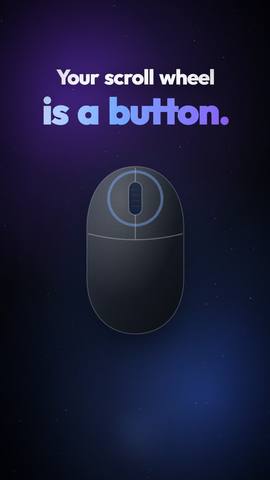
One flickHold the middle button and flick to Reopen tab. Your scroll wheel is a button too.
Free Chrome shortcuts worth knowing
 Watch 19 s
Text
Paste without the website's fonts
You paste into an e-mail and get the web page's fonts, colours and links too.
The usual wayCtrl+Shift+V in some apps, nothing in others, or paste into Notepad and copy again.
One flickFlick to Paste plain: only the text lands, in any program.
Free What Windows' clipboard can and can't do
Watch 19 s
Text
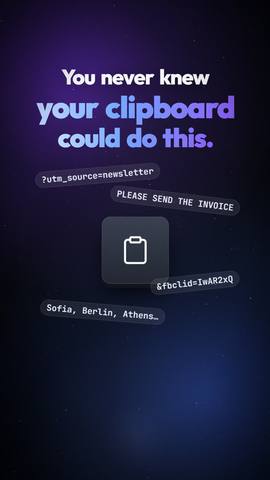
Share a link without the trackers
The link you are about to send is 300 characters of utm_, fbclid and gclid.
The usual wayClick into the address, find where the junk starts, delete it by hand.
One flickCopy it, flick to Clean link: the short, clean address is pasted.
Free
Watch 19 s
Text
Fix TEXT THAT SHOUTS
A whole heading or a paragraph arrived in capitals.
The usual wayDelete it and type it again. Word has Shift+F3; most programs have nothing.
One flickCopy, flick to Title Case, Sentence case or lowercase. The fixed text is pasted.
Free
Text
Paste what you copied five minutes ago
You copied something new and lost the thing you copied before.
The usual wayWin+V, Windows' clipboard history. It has to be turned on first, and few people know it is there.
One flickPut Clipboard history on your ring: one flick, no key to remember. RadialDeck's own history ring is Pro.
Free Windows' clipboard history and its limits
Excel
Excel pasted formulas, not numbers
You copied totals into another sheet and got #REF! everywhere.
The usual wayCtrl+Alt+V, V, Enter, or the little paste menu.
One flickFlick to Paste values: the numbers, without the formulas.
Free Excel paste values shortcut
Excel
Excel printed your table on 4 pages again
One column spilled onto its own page, and the printer is already going.
The usual wayPage Layout, Scale to Fit, Width: 1 page, Height: 1 page. Or Alt P S P, then Fit to.
One flickFlick to Fit to one page before you print. The sheet is set to one page wide and one tall.
Free Excel shortcuts that save the most time
Excel
Columns full of ######
The numbers are there, but every column is too narrow to show them.
The usual wayDouble-click every column border, or Alt H O I.
One flickSelect the columns and flick to AutoFit: each one fits what is in it.
Free Excel shortcuts that save the most time
 Watch 19 s
Excel
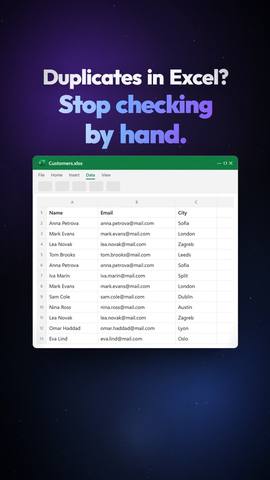
The same name three times in your list
A mailing list or a stock list full of repeats.
The usual wayData, Remove Duplicates, or Alt A M.
One flickFlick to Dedupe and press OK: Excel's own Remove Duplicates, every name exactly once.
Free Excel shortcuts that save the most time
Outlook & Teams
The same reply, ten times a day
"Thank you, I will get back to you by Friday", typed again and again.
The usual waySet up Quick Steps, or copy the text from an old e-mail every time.
One flickFlick to Reply with a template: the reply opens with your text already in it. Edit the text once, in the ring.
Pro Outlook Quick Steps examples
Outlook & Teams
Unmute while everyone waits
Someone asks you a question, and the Teams window is behind three others.
The usual wayFind the Teams window, then Ctrl+Shift+M. It only works while Teams is in front.
One flickFlick to Microphone on/off (Win+Alt+K) from whatever window you are in. Works in Teams and other apps that support it.
Free Teams mute shortcut
 Watch 20 s
AutoCAD
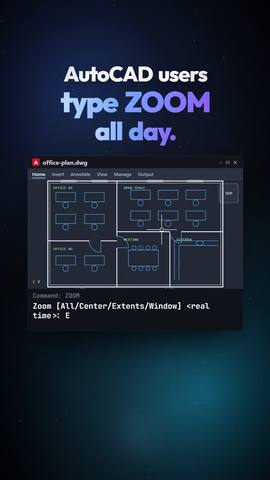
AutoCAD: everything back on screen
You zoomed into a detail and lost the rest of the drawing.
The usual wayZ, Enter, E, Enter.
One flickHold right-click, flick to Zoom extents. It types the command, Enter included.
Pro AutoCAD shortcuts
AutoCAD
AutoCAD: a DWG full of unused layers
The file is huge, slow to open, and full of blocks and layers nobody uses.
The usual wayPURGE, tick the boxes, Purge All, confirm each one, and again for nested items.
One flickFlick to Purge: every unused block, layer, style and linetype goes in one go, without the dialog.
Pro When AutoCAD commands don't work
Files
The link to a file that colleagues can open
You sent Z:\Projects\Offer.pdf and it does not open on their PC.
The usual wayFind out what Z: is mapped to and type \\server\share\… by hand.
One flickSelect the file, flick to Copy path as \\server\share: the path that works for everyone is on the clipboard.
Free File Explorer shortcuts
 Watch 21 s
Files
PDF too big to e-mail
The mail server says the attachment is too large.
The usual wayUpload the PDF to a compression website and hope nobody reads it.
One flickSelect it, flick to Shrink PDF: a smaller copy lands next to it (27.1 MB became 2.6 MB in our test). Uses the free Ghostscript; your original stays.
Free
Files
Five scanned pages as one PDF
The scanner gave you five JPGs, and they want one PDF.
The usual wayOpen Word, insert the pictures one by one, save as PDF.
One flickSelect the images, flick to Images to one PDF: scans.pdf appears in the folder. It uses Word to lay them out.
Free
 Watch 20 s
Files
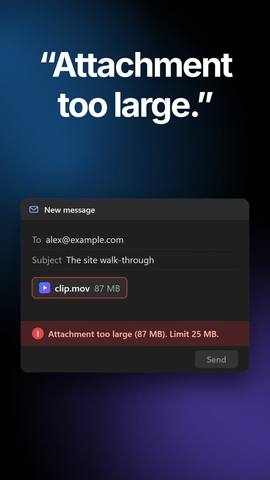
Video too big to send
A 90 MB phone video, and the limit is 10 MB.
The usual wayUpload it to a converter site, or learn a video editor.
One flickDrag the video, tap Shift, drop it on 10 MB: it shrinks to fit, on your PC. The drop ring is Pro; the same recipe on a normal ring is free. Uses the free FFmpeg.
Pro
 Watch 19 s
Files
iPhone photos nothing opens
The photos came as .HEIC, and the form only takes JPG.
The usual wayUpload them to a converter website, one by one.
One flickDrag the photos, tap Shift, drop them on JPG. Done on your PC; the files never leave it. HEIC needs Microsoft's free HEIF extension.
Pro
Windows fixes
The taskbar froze
The Start button and the taskbar stopped reacting to clicks.
The usual wayCtrl+Shift+Esc, find Windows Explorer in the list, right-click, Restart.
One flickFlick to Restart Explorer: the taskbar comes back in a second, your open programs stay.
Free
Windows fixes
Every Windows setting in one list
The setting you need moved between Control Panel and Settings again.
The usual wayKnow the secret "God Mode" folder: a folder named with a long code that Windows opens as one list.
One flickFlick to All settings: every Control Panel task in one searchable window.
Free
No trick matches that. Try "PDF", "Excel" or "paste".
 RadialDeck